Creating Zigzag CSS Layouts: The Grid + Transform Method
Zigzag layouts bring a dynamic, cascading rhythm to web designs, breaking away from rigid grid alignments. One clever technique uses CSS Grid combined with a transform trick to achieve a diagonal flow without breaking tab order or requiring fixed heights. Below are common questions and detailed answers about this approach.
What is a zigzag layout and why would you use it?
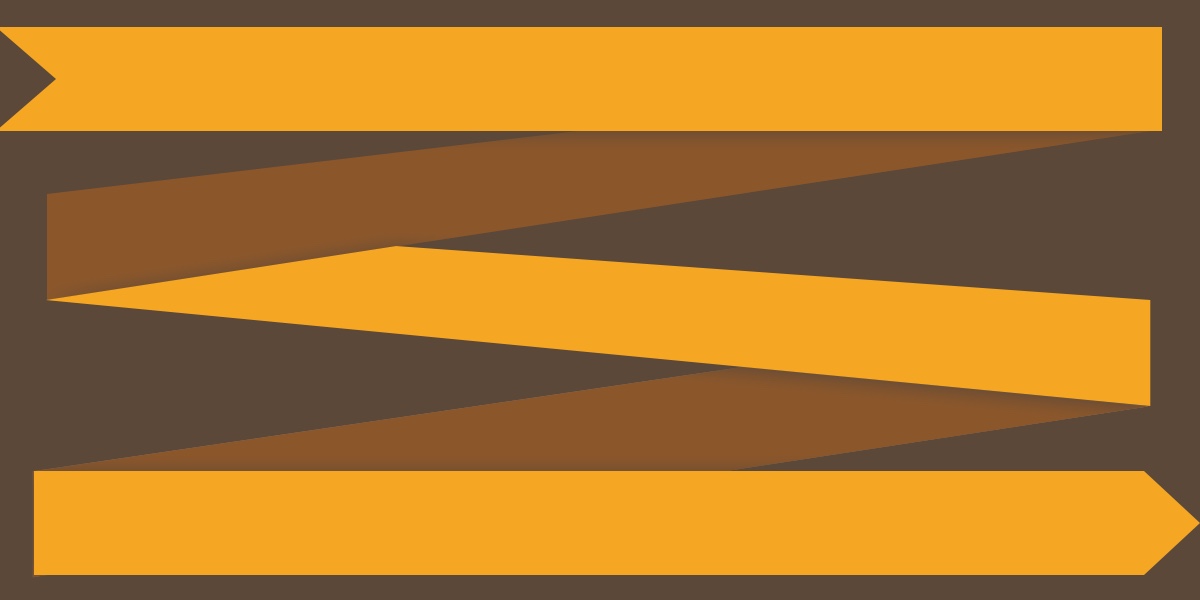
A zigzag layout arranges items in a staggered diagonal pattern, like water flowing down steps. It adds visual interest and a sense of motion, often used for galleries, timelines, or feature lists. Unlike standard grids where every item aligns neatly, the zigzag creates a more organic, engaging experience that draws the eye across the content. It’s especially effective for storytelling or showcasing progressive steps.
Why is the flexbox approach problematic for zigzag layouts?
Using flex-direction: column with flex-wrap: wrap seems intuitive—items flow down and then wrap to the next column. However, two issues arise. First, you must set a fixed height on the container, which is brittle and doesn’t adapt well to varying content. Second, the tab order breaks: items flow down the first column (1, 2, 3) then jump to the second (4, 5, 6). This creates two separate buckets, not a continuous waterfall, confusing keyboard navigation and screen readers. The grid approach avoids both problems.
What is the grid-based strategy for creating zigzag?
The solution is simple: create a two-column grid, then shift every item in the second column downward by half its own height. This pushes the second column’s items down, producing a staggered effect that looks like a diagonal flow. The grid ensures items are placed left to right, then down, preserving logical tab order. The shift is applied via transform: translateY(50%) on even items using :nth-child(even ...). This keeps the layout fluid and responsive without needing fixed heights.
How does the transform: translateY(50%) trick work?
The translateY(50%) moves an item downward by 50% of its own height. In a two-column grid, all even items (second column) are shifted this way. Because the percentage is relative to the element’s own height, it works even if items have different heights—each one staggers proportionally. The result is a cascading pattern where item 1 is at the top, item 2 starts halfway down item 1, item 3 aligns with item 1’s bottom, item 4 aligns halfway down item 3, and so on. This creates the zigzag without complex calculations.
Why is box-sizing: border-box important for this technique?
When you set an explicit height like 100px on an item, browsers normally add borders and padding outside that height, making the actual rendered height taller. For translateY(50%) to work precisely, the element’s height must match your CSS value exactly. The box-sizing: border-box rule ensures the height includes borders and padding, so an item with height: 100px truly occupies 100px. Without it, the transform offset would be slightly wrong, breaking the alignment.
What's the difference between :nth-child and :nth-of-type for selecting even items?
Both can select the second column items in this demo, but they work differently. :nth-of-type(even) selects based on the element’s tag name (e.g., div). If you later mix <span> or other elements inside the wrapper, the selector will match incorrectly. The safer choice is :nth-child(even of .item)—it explicitly targets elements with class .item regardless of tag, making the code more robust and easier to maintain in complex projects.
How does the grid method preserve logical tab order?
In the flexbox column-wrap approach, items fill the first column before wrapping to the second, so the visual order (left-to-right cascading) doesn’t match the source order (top-to-bottom per column). Tab order follows source order, making navigation unintuitive. The grid method places items in two columns but reads them left-to-right, top-to-bottom: item 1, then item 2, then item 3, etc. Because only the second column is shifted visually via transforms, the underlying document order stays correct, keeping tab order natural and accessible.
What limitations does this zigzag technique have?
The method works best when all items have roughly the same height; significant height variations can break the perfect stagger because each shift is relative to its own height. Also, the grid approach uses a hardcoded number of columns (two) and a fixed translateY value. For responsive layouts, you might need media queries to adjust column count or shift amounts if items wrap. Finally, if you apply additional transforms (like scaling or rotation), they can interact unexpectedly with the vertical shift—use caution when layering effects.
Related Articles
- In-Browser Testing for Vue Components: A Node-Free Approach
- Crafting Custom Letter Styles: How to Mimic ::nth-letter with CSS and JavaScript
- Optimizing JavaScript Load Times: A Guide to V8's Explicit Compile Hints
- Vue Component Testing Now Possible Entirely in Browser – No Node.js Required
- Astro Developers Get New Markdown Component: Cleaner Code, Smarter Typography
- The Real Cost of Google's Prompt API: A Developer's Guide to Understanding the Risks
- 10 Game-Changing Upgrades in Copilot Studio with .NET 10 WebAssembly
- The Quest for ::nth-letter: Why CSS Still Lacks This Typographic Feature