Dive into Subnautica 2 on GeForce NOW: A Step-by-Step Guide to Early Access
Introduction
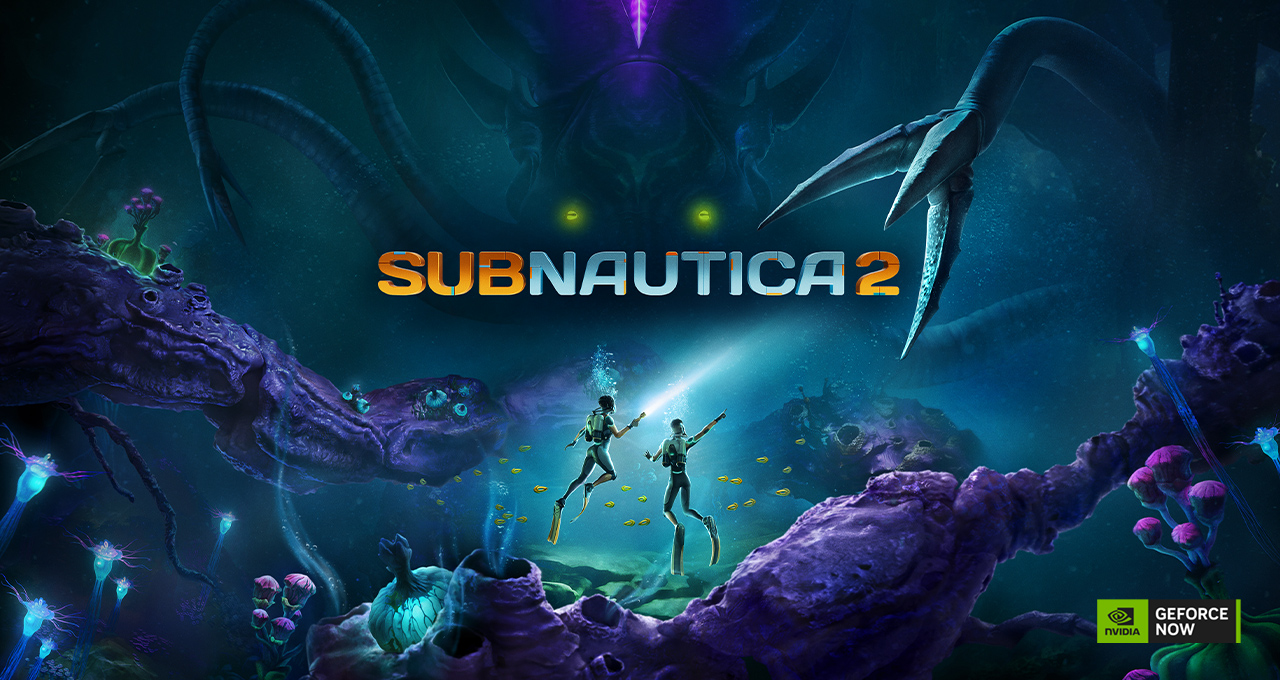
Ready to explore an alien ocean without upgrading your gaming rig? Subnautica 2 has just splashed onto GeForce NOW, bringing its shared-world survival adventure to nearly any device you own. Whether you're a lone diver or prefer teaming up with friends, this guide will walk you through everything you need to start playing—from signing up for the cloud service to diving into the depths. Plus, we'll show you how to snag exclusive rewards from the limited-time HITMAN World of Assassination event happening alongside the launch. No downloads, no hardware hassles—just pure underwater exploration.
What You Need
- A compatible device (PC, Mac, Chromebook, smartphone, tablet, or smart TV) with a stable internet connection (at least 15 Mbps for 720p, 25 Mbps for 1080p).
- A GeForce NOW membership (Free tier available; Performance or Ultimate recommended for best quality).
- A Steam or Epic Games Store account (or Xbox Game Pass for PC) to purchase or access Subnautica 2.
- A copy of Subnautica 2 (Early Access version) from your preferred store.
- (Optional) A controller or keyboard/mouse—your choice.
Step-by-Step Guide to Playing Subnautica 2 via GeForce NOW
Step 1: Set Up Your GeForce NOW Account
If you haven’t already, visit the GeForce NOW sign-up page and create a free account. You’ll need an NVIDIA account (or log in with Google, Apple, or other options). Once registered, download the GeForce NOW app on your device or access it through a supported browser. The app is lightweight and takes seconds to install.
Step 2: Purchase or Access Subnautica 2
Subnautica 2 is now available in Early Access on Steam and the Epic Games Store (also via PC Game Pass). Head to your preferred platform and buy the game. If you already own it, great—you’re one step ahead. Make sure your store account is linked to GeForce NOW (via Settings > Connections). This linking allows the cloud service to detect your game library.
Step 3: Launch Subnautica 2 on GeForce NOW
Open the GeForce NOW app. In the search bar, type “Subnautica 2” and select it from the results. You’ll see a “Play” button—click it. The service will verify your game ownership, then spin up a high-end virtual PC in the cloud. Within seconds, the game will stream directly to your screen. No installation, no updates, no waiting.
Step 4: Adjust Settings for the Perfect Dive
Once in-game, hit the graphics settings menu. GeForce NOW streams at up to 4K 120fps on the Ultimate tier, but you can lower resolution or frame rate to match your internet speed. Enable ray tracing for shimmering underwater light effects if your membership supports it. For best performance, set your stream quality in GeForce NOW settings to “Competitive” (for fast-paced action) or “Data Saver” if your connection is limited.
Step 5: Explore with Friends (Optional)
Subnautica 2 supports online co-op for up to four players. To invite friends, open the in-game menu and select “Multiplayer.” Share your session code or send invites through your platform’s friend list. All players need their own copy of the game and a GeForce NOW account—but no one needs a powerful PC. The cloud handles the heavy lifting.
Step 6: Grab Exclusive HITMAN Rewards
While you’re diving into alien oceans, don’t forget to check out the limited-time HITMAN World of Assassination event running until May 25. GeForce NOW members get special items just for playing via the cloud. Here’s what to do:
- Launch HITMAN World of Assassination from GeForce NOW (free to play during the event).
- Complete a quick mission or objective to unlock the Purple Streak Explosive Duck (for all users) and the Bomb Dynamite (for Performance and Ultimate members).
- These items will be added to your in-game inventory permanently—even after the event ends. It’s a fun, explosive bonus to complement your underwater adventures.
Tips for a Smooth Experience
- Check your connection: Use a wired Ethernet connection or a strong 5GHz Wi-Fi signal. A poor connection can cause input lag or visual artifacts. The GeForce NOW app includes a network test tool—run it before diving.
- Optimize your device: Close other bandwidth-hungry applications (streaming video, large downloads) while playing. On mobile, enable “Do Not Disturb” to avoid interruptions.
- Save often: Subnautica 2 is still in Early Access—autosave works, but manual save prevents losing progress in case of unexpected disconnects.
- Use cloud saves: Your game progress syncs across devices automatically via Steam or Epic. You can start on your laptop, continue on your tablet, and finish on your TV.
- Take advantage of free weekends: NVIDIA sometimes offers free access to higher tiers—watch for promotions to experience 4K streaming without commitment.
- Explore the HITMAN event early: The reward items are time-limited, so claim them soon. Plus, playing HITMAN via cloud counts toward event progress even on low-end devices.
With GeForce NOW, Subnautica 2 becomes a truly portable experience. Dive in from anywhere, conquer the deep, and pick up some explosive toys along the way. The ocean is waiting—see you in the cloud.
Related Articles
- Fred Brooks’ Timeless Wisdom: Rethinking the Mythical Man-Month
- React Native 0.83 Arrives with React 19.2, Enhanced DevTools, and Performance APIs
- Apple Maps Adds Detailed City Views for Rome and Naples
- 8 Key Takeaways from Tim Cook's Earnings Call: No New Macs or iPads Until September?
- Unlock x86_64 Linux Apps on ARM64: A Step-by-Step Guide to FEX 2605 Emulator
- A Personal Reflection on Community, Legacy, and the Future of AI
- Community, Data, and the Future of AI: Lessons from a Stack Overflow Founder
- How to Navigate Windows 11 Insider Preview Builds: A Complete Step-by-Step Guide